Article
Docker vs Kubernetes
- Authors

- Author
- Ram Simran G
- twitter @rgarimella0124
Containerization has revolutionized the way we develop, deploy, and manage applications. Docker and Kubernetes are two of the most significant players in this space — but they serve different purposes and come with unique strengths.
This post presents an exhaustive feature-by-feature comparison table to help you clearly differentiate between Docker and Kubernetes and decide which fits your needs.
| Feature | Docker | Kubernetes |
|---|---|---|
| Definition | A platform for developing, shipping, and running containerized applications. | An orchestration system for managing containerized applications at scale. |
| Purpose | Focuses on packaging and running containers. | Manages and orchestrates multiple containers across a cluster. |
| Container Management | Single container runtime, useful for development and lightweight deployments. | Manages multiple containers across multiple nodes in a cluster. |
| Scaling | Manual scaling using Docker Compose or Swarm. | Automated scaling based on demand. |
| Networking | Uses a simple bridge network for communication between containers. | Sophisticated networking model: ClusterIP, NodePort, LoadBalancer, and Ingress. |
| Storage | Supports volume and bind mounts. | Supports Persistent Volumes (PV), Persistent Volume Claims (PVC), and Storage Classes. |
| Load Balancing | Basic load balancing using Swarm or external solutions. | Inbuilt load balancing via Services and Ingress controllers. |
| Self-Healing | No built-in self-healing; requires external monitoring tools. | Automatically restarts failed containers and replaces unresponsive nodes. |
| Orchestration | Limited orchestration using Docker Swarm. | Advanced orchestration capabilities with declarative management. |
| Configuration Management | Uses environment variables and CLI flags. | Uses ConfigMaps and Secrets to manage configuration securely. |
| State Management | Stateless by default; can be configured for stateful workloads. | Supports both stateless and stateful applications with StatefulSets. |
| Security | Basic container security (user namespaces, seccomp, capabilities). | Advanced security policies: RBAC, Pod Security Policies, Network Policies. |
| Auto-Restart | Manual restart or via Swarm settings. | Automatically restarts containers if they fail. |
| Health Checks | Basic health check support with HEALTHCHECK in Dockerfile. | Uses liveness and readiness probes for detailed health monitoring. |
| Deployment Management | Basic deployments with docker run or docker-compose. | Rolling updates, canary deployments, and blue-green deployments supported. |
| Resource Allocation | Limited control over CPU and memory limits. | Full resource management with requests and limits for CPU and memory. |
| Logging & Monitoring | Basic logging using Docker logs; external logging solutions required. | Native logging and monitoring support via Fluentd, Prometheus, Grafana, etc. |
| Rollback Capability | No direct rollback feature. | Supports versioned rollbacks for deployments. |
| Integration | Works well with CI/CD tools but requires additional configuration. | Native support for CI/CD pipelines with GitOps and Helm. |
| Ease of Use | Easier to learn and use for small projects and local development. | Steep learning curve but highly powerful for large-scale applications. |
| Use Case | Best for small-scale applications, local development, testing, and proof of concepts. | Best for managing large-scale, distributed applications in production. |
| Community & Ecosystem | Strong community, mostly focused on container runtime and developer tools. | Massive community with a rich ecosystem of tools (Helm, Istio, ArgoCD, etc.). |
| Cloud Support | Supported by most cloud providers (AWS, GCP, Azure). | Fully managed services available: GKE (Google), EKS (AWS), AKS (Azure), and many others. |
📝 Conclusion
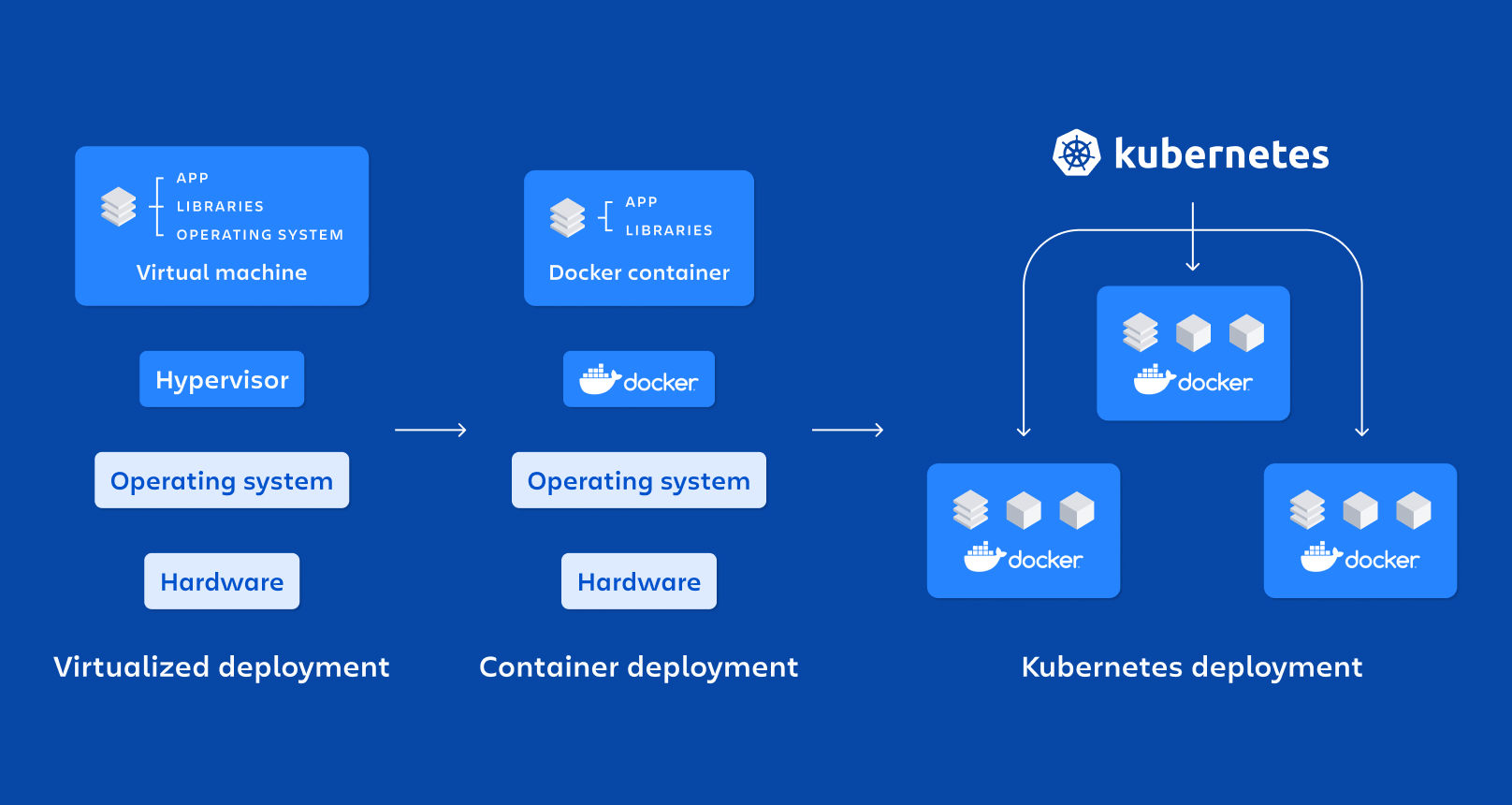
Docker and Kubernetes are often mentioned together, but they serve different (and complementary) purposes:
- Docker is excellent for containerizing applications, making them portable and lightweight.
- Kubernetes is designed for orchestrating and managing those containers in distributed, production-ready environments.
In fact, Docker containers often run inside Kubernetes clusters!
| When to Use Docker | When to Use Kubernetes |
|---|---|
| Local development, testing, and prototyping. | Large-scale, production-grade applications. |
| Single-server applications or small services. | Complex distributed systems requiring orchestration. |
| Quick and easy container deployments. | Automated scaling, healing, and resource management. |
🚀 Final Thoughts
Both tools are essential parts of the modern cloud-native stack, and understanding their strengths, limitations, and integration points is crucial for any DevOps engineer, SRE, or cloud architect.
Cheers,
Sim